
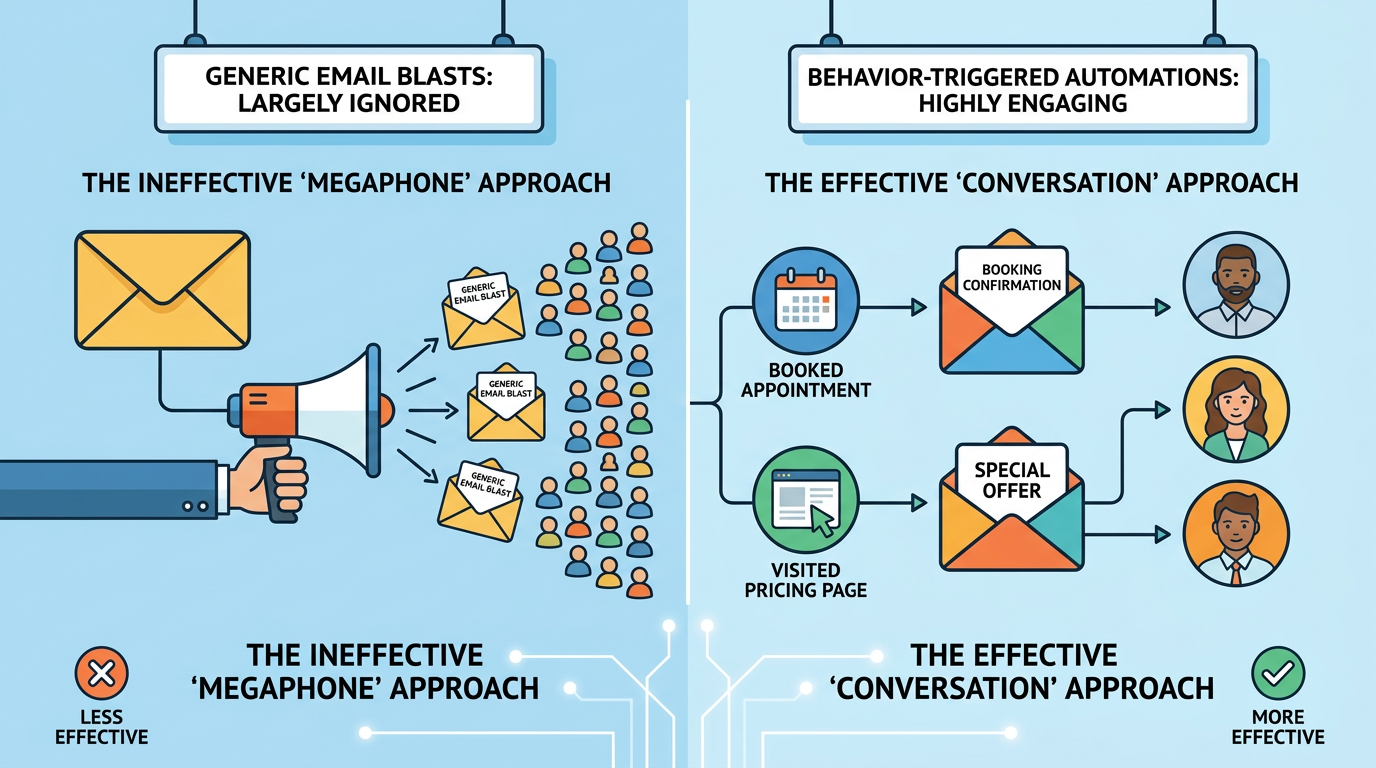
Service businesses should start with four email automations: a booking confirmation with reminders, a review request after the visit, a nudge for an abandoned booking, and a win-back message to past customers. Each sends itself when a customer does something, or stops doing something, so the email arrives while booking is on their mind.
Key takeaways
- Build the four triggers in this order: confirmation and reminders, review request, abandoned booking, win-back.
- A trigger fires on a customer action or a date, so one list can run all four without manual sending.
- A message that only confirms an agreed appointment is treated differently under CAN-SPAM than one that advertises.
- Start with one trigger, check it for two weeks, then add the next.
The four triggers at a glance
| Trigger | What fires it | When to send | Job of the email |
|---|---|---|---|
| Confirmation and reminders | A booking is made | Right away, then a day before the visit | Confirm the details and cut no-shows |
| Review request | The visit is marked complete | One to two days after | Get a public review while the visit is fresh |
| Abandoned booking | Someone starts a booking and does not finish | A few hours later | Bring them back to the unfinished form |
| Win-back | No visit or open for a set number of days | After the gap you choose | Reopen the relationship with a reason to book |
Start with these four before a welcome series or a seasonal campaign, because each one attaches to a customer action you can already see in your booking system.
Booking confirmation and reminders
This trigger fires the moment a booking is made. The confirmation carries the service, date, time, address, parking notes and a link to reschedule. Leave out anything unrelated to the booking, so the details are easy to find.
Send a reminder before the appointment so the customer has the details handy. One day before is common, and a longer-range reminder a week out suits services that need preparation. Keep each one to three facts: when, where, and what to do if plans change.
The best-documented evidence on reminders comes from health care and covers text messages only. A 2013 Cochrane review of seven studies with 5,841 participants found that text reminders raised attendance to 78.6% from 67.8% with no reminder, a risk ratio of 1.14 (Cochrane Database of Systematic Reviews, 2013, read October 15, 2026). The channel and the setting differ from a salon or a contractor, so read it as a sign that reminders help and not as a forecast for your own no-show rate.
An email that confirms a booking and also pitches an upgrade is no longer only a confirmation. The section on rules below explains why that matters.
Review request after the visit
Send this one a day or two after the visit is marked complete, while the customer still remembers it. Use their first name, name the service, and put one button in the email that goes straight to your Google review link.
Google’s own help page says you can ask customers to visit a Google link or scan a QR code to leave a review. It also says that offering incentives such as free or discounted goods or services in exchange for reviews is prohibited (Google Business Profile Help, read October 15, 2026). So the email asks and thanks, and it offers nothing in return.
Abandoned booking
If your site has an online scheduler or a quote form, some people will start it and stop. That mirrors an abandoned shopping cart. If you have permission to email them, send a link that lets them resume where they left off.
Klaviyo’s 2026 abandoned-cart report draws on more than 110,000 of its customers and was published October 2, 2026. It puts the average email in an abandoned-cart flow at $6.77 of revenue per recipient, and the top 10% at $13.70 (Klaviyo, read October 15, 2026). A booking will earn a different amount than a store sale, but these figures show that a recovery flow earns money from people who already showed intent.
Klaviyo describes a common sequence of three messages: an email after 2 to 4 hours, a text with a discount at 24 hours, and a final message at 48 hours. Start with one recovery email and add a second only if the first earns bookings. The first should repeat the service they chose and link to the saved form. A discount is optional, and a small one is enough if you use it at all.
Win-back
A win-back email goes to a past customer who has gone quiet. Choose the trigger by looking at how often your customers normally come back, then set the gap a little longer than that. A salon and a roofing contractor will have very different numbers.
The email should say what is new since their last visit, restate your main service, and give a clear reason to book. Send a second message only to people who opened the first, and stop after that. Someone who ignores two attempts is better left alone.
Past customers who have drifted may need a different reason to book than a reminder gives them. Those who return already know your business, which is why the trigger is worth building.
Rules that apply to every trigger
The Federal Trade Commission’s CAN-SPAM guide for business is the reference for US email. Its main requirements are accurate sender information, accurate subject lines, a clear disclosure when a message is an ad, a valid postal address, and a working opt-out that you honor within 10 business days. The penalty is up to $53,088 for each separate email in violation, and you remain responsible for email sent on your behalf by a vendor (FTC, page last updated July 22, 2025, read October 15, 2026; CAN-SPAM Act: A Compliance Guide for Business).
The same guide separates commercial messages from transactional or relationship messages. A message that only completes or confirms an agreed transaction is transactional. If the subject line suggests an ad, or the transactional content is not at the start, the FTC treats the message as commercial. That is why a booking confirmation with an upsell in the subject line needs the full set of commercial requirements.
Text messages carry separate rules that this article does not cover. Check them with a lawyer before you add texting to any trigger.
Where to start
Build the confirmation and reminder first, because it protects bookings you already have. Next comes the review request, then the abandoned booking, then win-back.
Check what your scheduling software and email platform can trigger on before you pay for anything new. You need a signal when a booking is made, a signal when a visit is marked complete, and a way to see when someone starts a form and does not finish. If one tool cannot supply them, connect two.
Test each email on your own phone and read the unsubscribe and address lines before you turn it on. After two weeks, look at what customers did, then change the wording or move to the next trigger.
How this connects to SEO and AI search
Search helps new customers find your business, and email follows up with people who have already contacted or booked. A returning customer who leaves a review also helps a stranger choose you. For the search side, read what to expect from SEO. Flows like these are part of our email marketing service, and prices are on the pricing page. Our guide to how much digital marketing costs for a small business sets out the ranges. Donnie Strompf wrote this guide.
Related reading
- Klaviyo vs Mailchimp vs HubSpot vs Constant Contact: how the email platforms differ
- What SPF, DKIM, DMARC do and what Gmail, Yahoo and Outlook.com require of email senders
Next step
The free AI-visibility audit comes first, then a 15-minute call. Bring your booking process to the call and we can talk through which of these four triggers fits it and what your software supports.
Get your free AI-visibility audit or Book a 15-minute call.
FAQ
What is an email automation trigger?
A trigger is the event that makes an email send by itself. It may be something a customer does, such as making a booking or leaving a form unfinished, or a point in time, such as the day before an appointment. You write the email once, and the software sends it whenever the event happens for any customer.
Which trigger should a service business build first?
Begin with the confirmation and reminder pair. It protects appointments already won, needs no list segmentation, and takes only short emails to write. Once it has run cleanly for a couple of weeks, add the review request. The remaining two triggers depend on a steady supply of bookings and past customers.
Who should the review request come from?
Send it under a named person, thank the customer for the visit, and give one link. Keep the wording short enough to read on a phone without scrolling. Leave out any gift or discount for posting, because platforms treat paid or rewarded reviews as misleading content.
Does a reminder email need an unsubscribe link?
That depends on its content. A message that only confirms or completes an agreed appointment can fall in the FTC’s transactional category, which has lighter requirements. Once it promotes an upgrade or a new service it counts as commercial and needs the full set of commercial requirements. When unsure, include them.
How many emails should an abandoned-booking sequence have?
Usually one or two. Send the first a few hours after the form was left, linking back to the saved details. Add a second the next day only if you have something new to say. A third reads as pressure on someone who has already decided against booking, and it raises complaint risk.
Can I use these triggers without a large email list?
Yes, because triggers respond to individual customers and do not depend on list size. A business with 200 past clients and a steady trickle of new bookings can run all four. Win-back has the smallest audience early on, so build it last, once enough customers have gone quiet to justify it.
Marketing that works, in your inbox
AI search & SEO news, what’s working right now, and guides we actually use with clients. A couple of emails a month, no spam.
Unsubscribe anytime. We treat your inbox the way we treat our clients’ brands.